 LassoMind
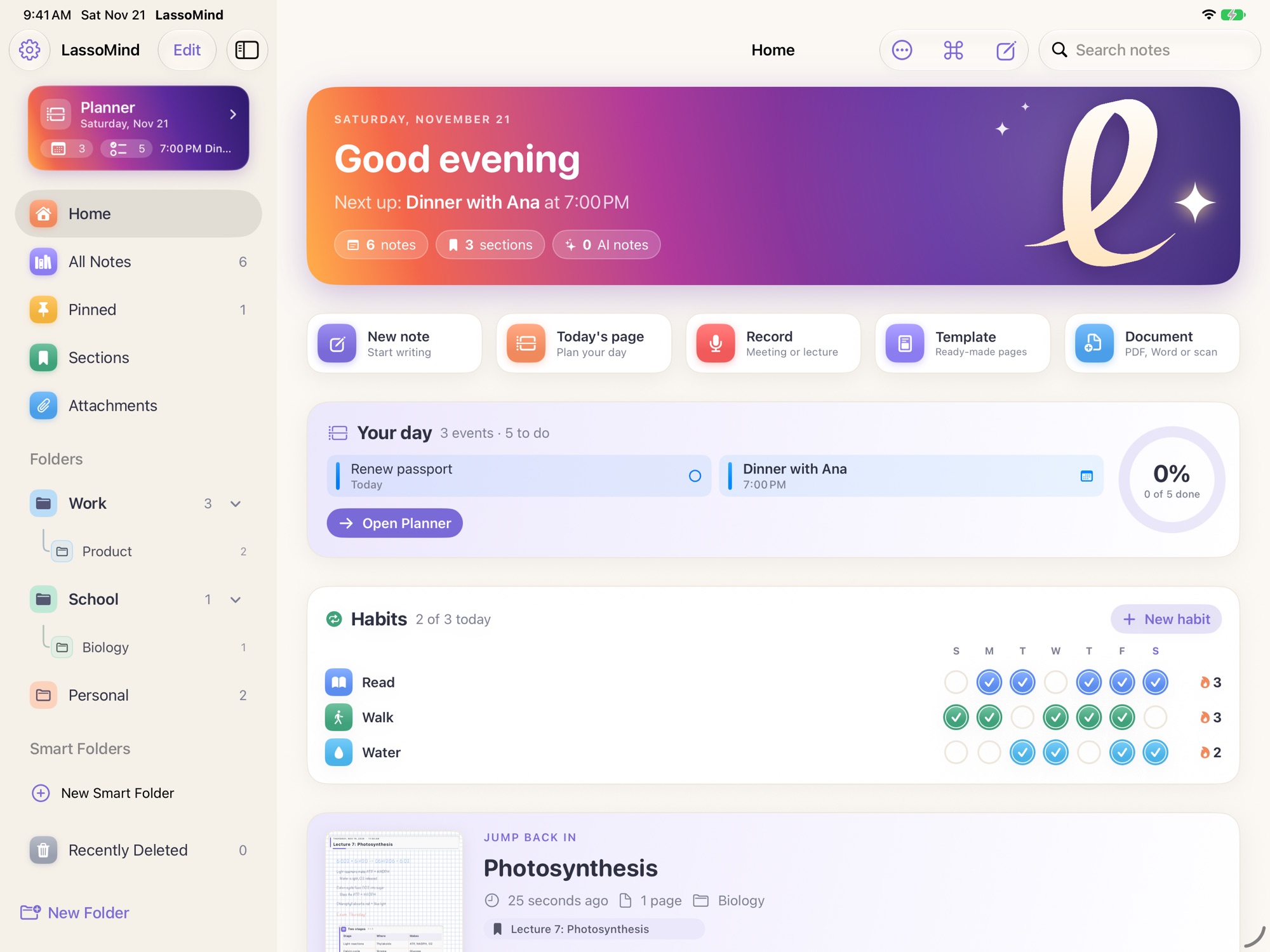
Write on the page. It lands in your calendar.
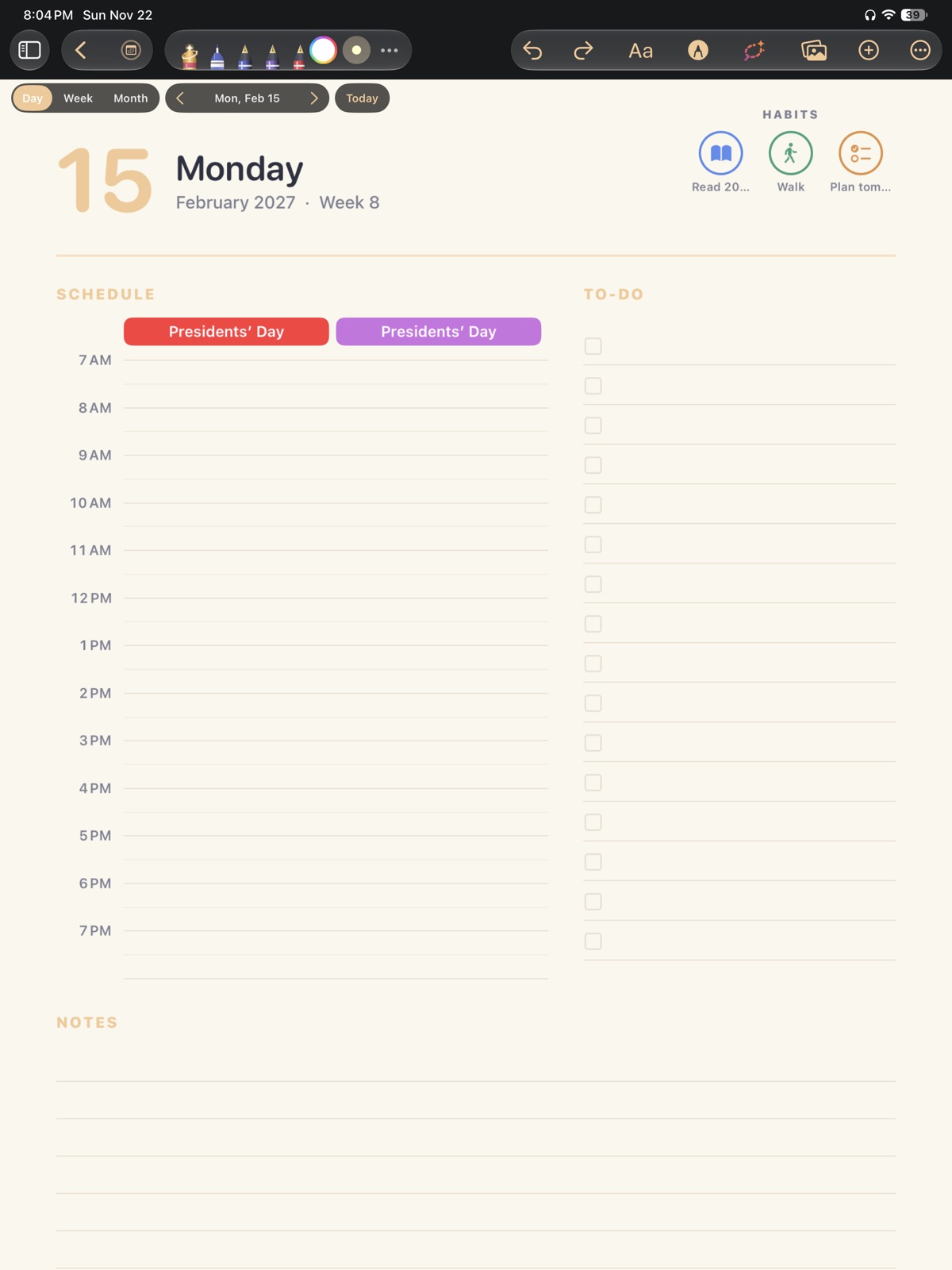
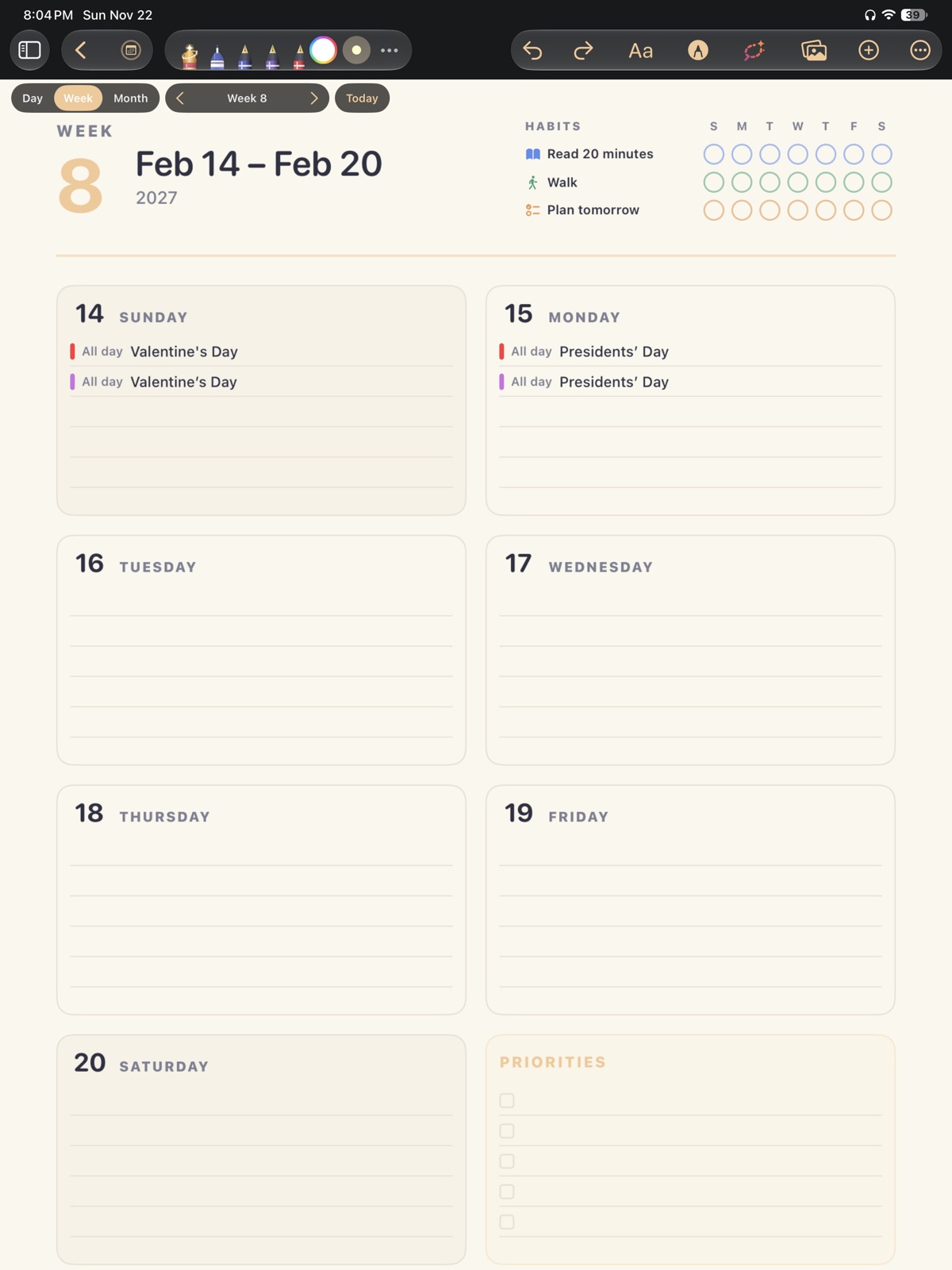
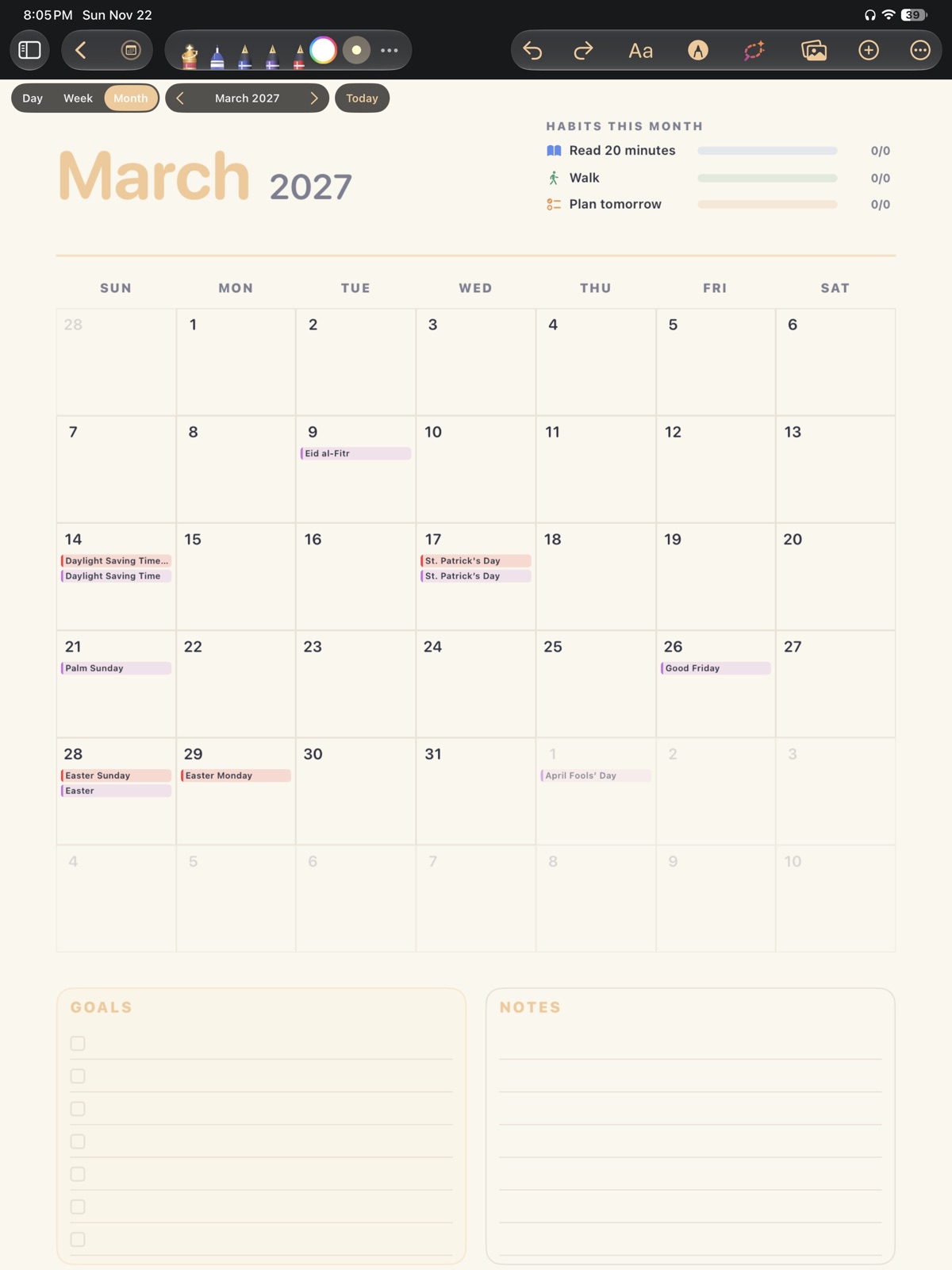
Day, week and month pages that feel like paper. Pause after writing, and LassoMind turns your handwriting into a real calendar event or reminder, printed right back on the page.
Undo brings your handwriting back. Everything you create appears in Apple Calendar and Reminders on all your devices.
Schedule
To-do
Notes
Goals this month
Notes
The real pages in LassoMind
Every key feature, in a few seconds each
To-dos from handwriting, Lasso AI, meeting minutes, PDF markup, study sets and Pencil gestures. Pick one, or let them play.
One notebook for work and school
The Lasso AI button has a Professional side and a Study side, so you get the right kind of summary for what you wrote.
For professionals
Meetings, projects and documents, with the follow-up already done.
- Meeting minutes: record into a section, get decisions, action items and open questions
- Email-ready recap for the attendees, with who came and who didn’t
- Document briefs: key points, facts, deadlines and risks, with page numbers
- Action items go straight to Reminders
- Meeting prompts when an event starts: record and take notes in one tap
For students
Class notes that turn into everything you need to study.
- Study sets from your notes: summary and key concepts
- Flashcards and a practice quiz with explanations
- Highlight lecture PDFs and snap parts into your notes
- Math and graphs from your handwriting
- Listen to summaries read aloud while you review
Everything you write, working for you
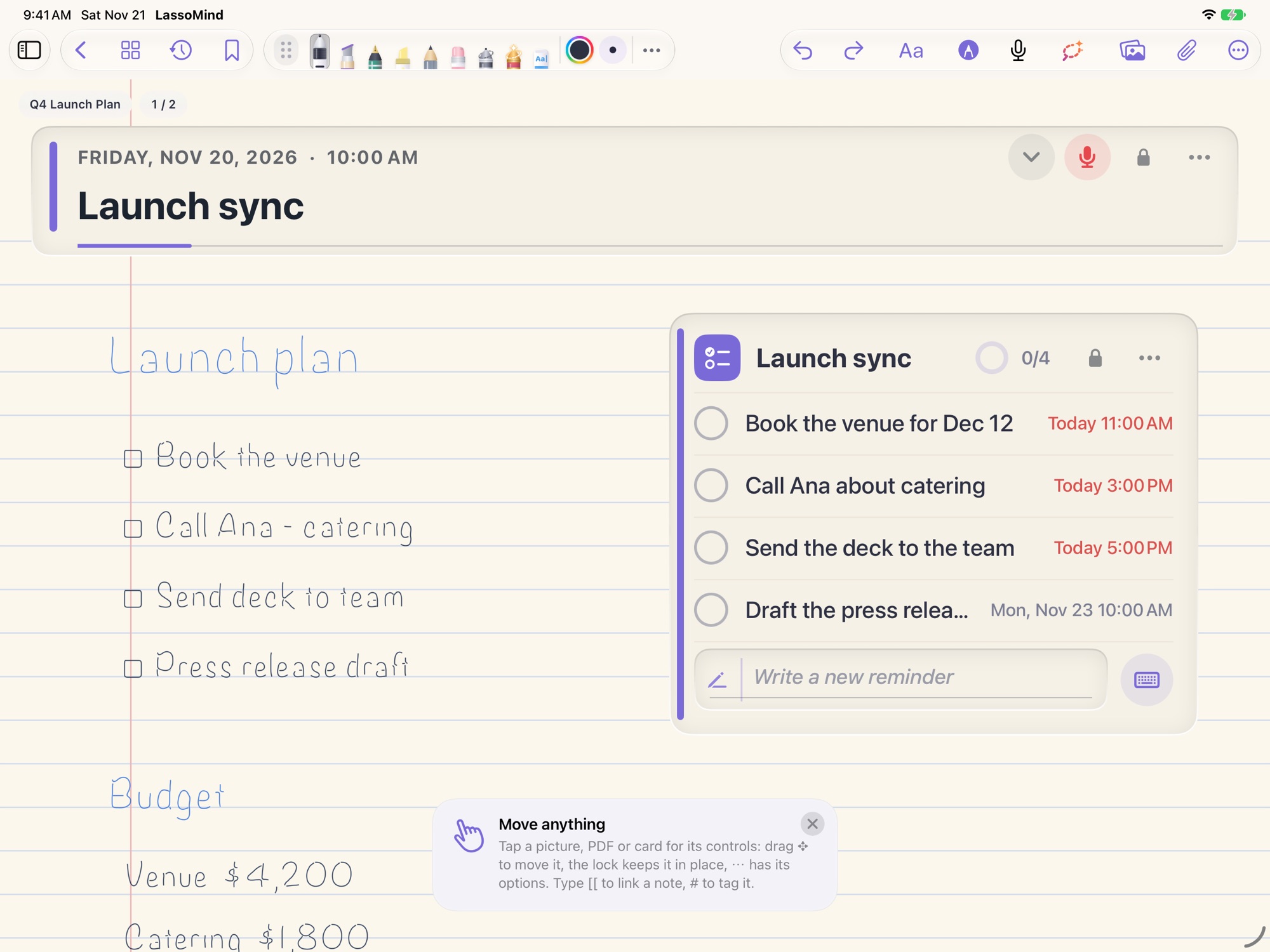
Your to-dos become reminders
Draw a small box, write the task, pause. LassoMind offers to make it a to-do, a reminder or a calendar event.
- Write “call Ana 3pm” and get a reminder at 3 pm
- Convert a whole handwritten list at once
- Tick a box with your Pencil to complete it
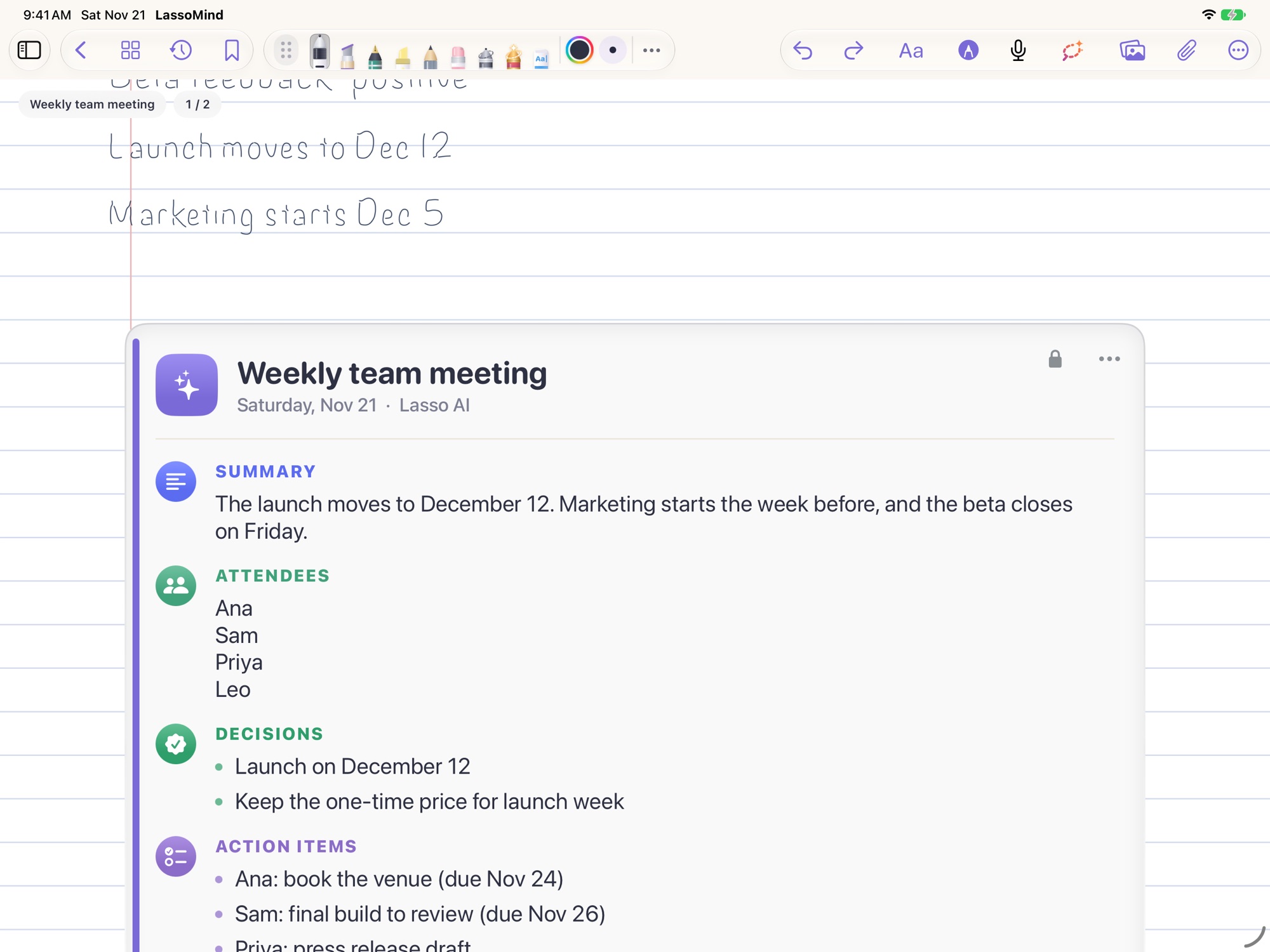
Record a meeting, get the minutes
Record into any section of a note. When you stop, LassoMind transcribes it on your iPad and writes the summary.
- Decisions, action items and open questions
- An attendee checklist from the calendar invite
- Copy the minutes as an email in one tap
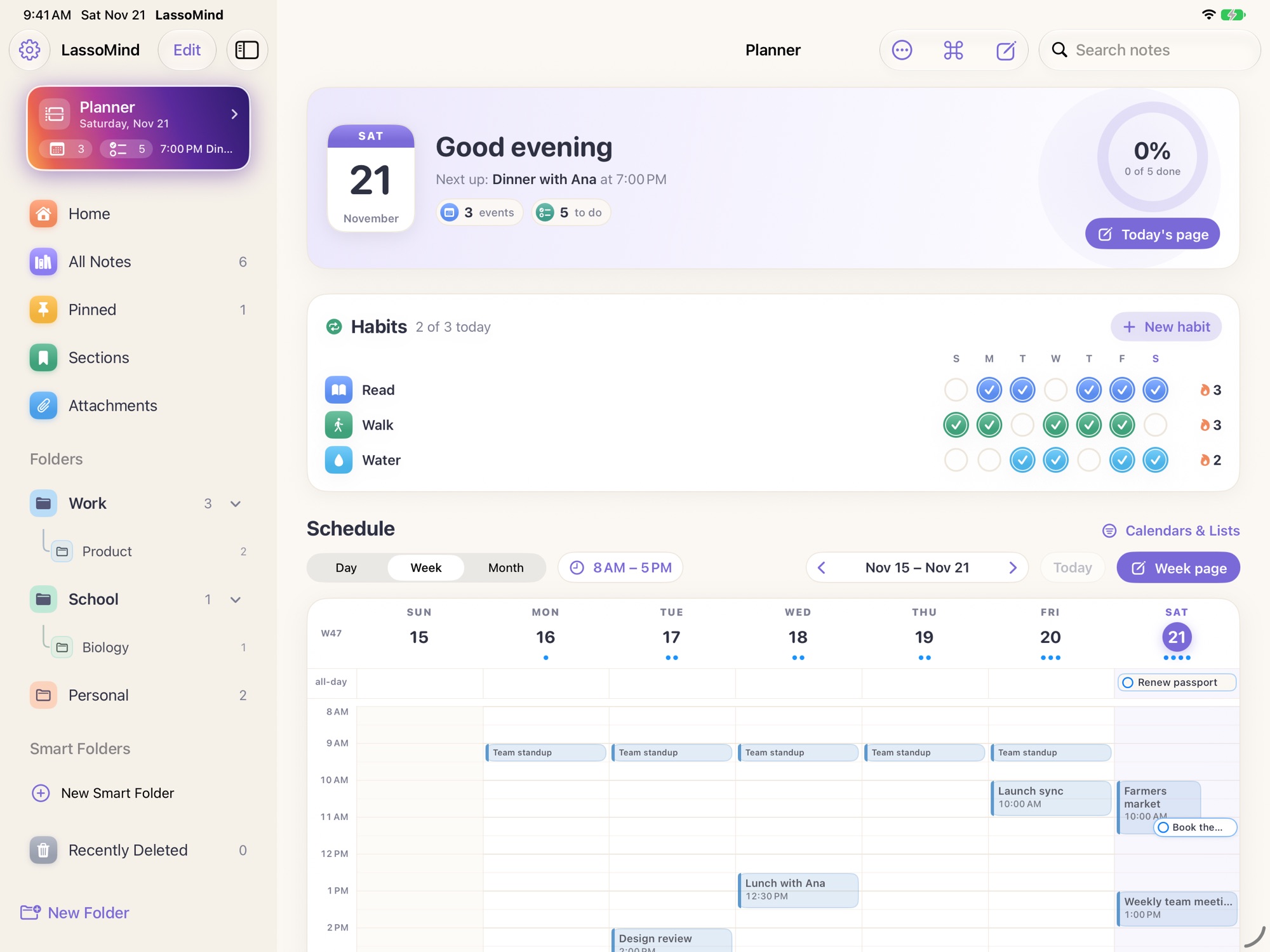
Your whole week, side by side
Calendar events, reminders and the to-dos written inside your notes, in one Planner.
- Day, week and month views with habits and streaks
- Drag an event or reminder to reschedule it
- Drop a to-do from a note onto the week to block time
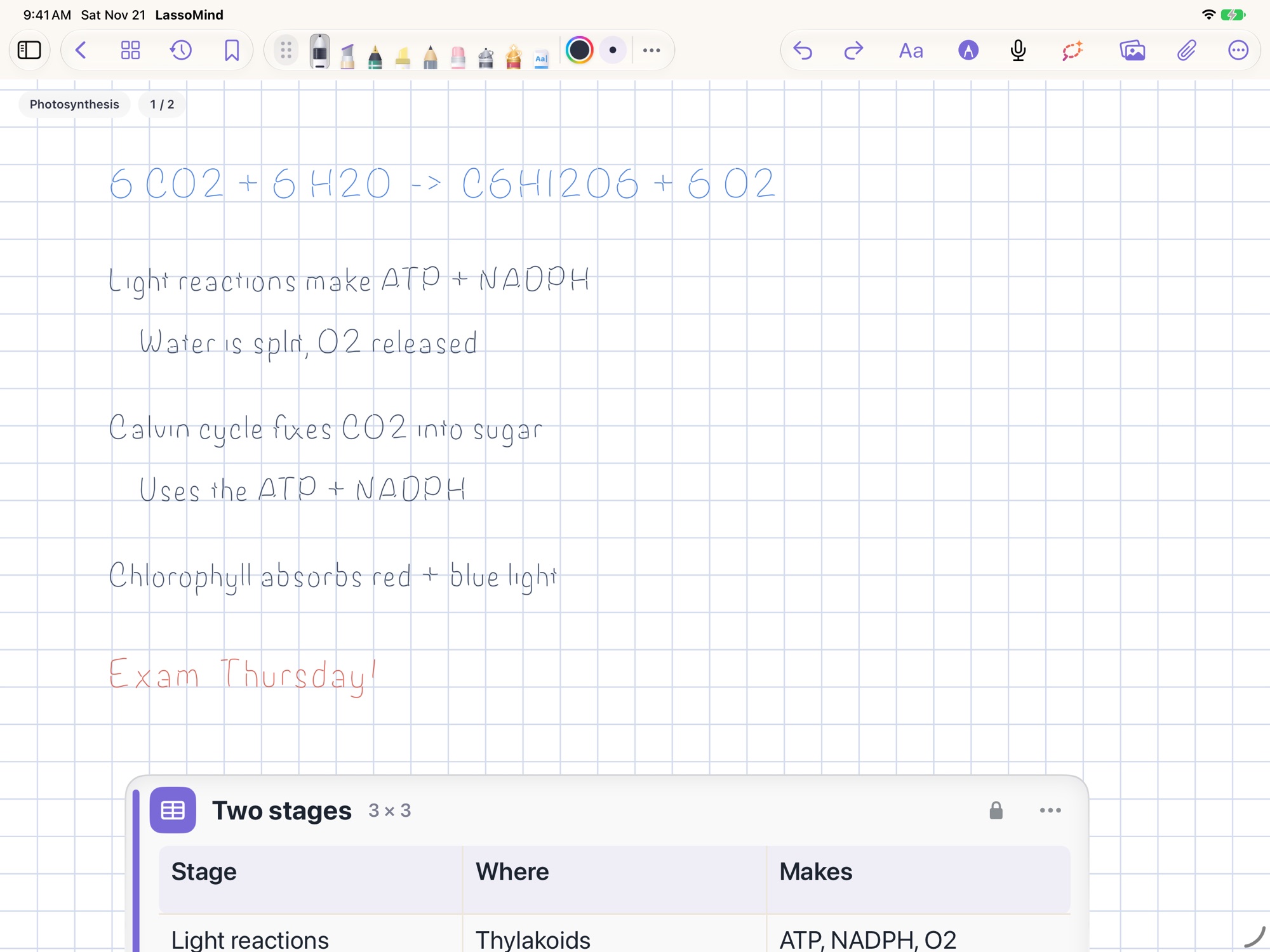
Circle it. Understand it.
Lasso any handwriting, page or PDF and ask for a summary, a study set, or just chat with your notes.
- Key concepts, flashcards and a practice quiz
- Graphs and math answers from what you write
- Search finds words in your handwriting
A planner, a notebook and a PDF editor in one
Planning & scheduling
- Planner pages you write on
- Day, week and month pages, printed with your events and reminders.
- Handwriting becomes events
- Write in an hour, a day box or a month cell, and it’s on your calendar.
- Priorities and goals
- Become top-priority reminders, due when the week or month ends.
- Habits
- Daily circles and streaks, right on your planner pages.
Note taking
- Pencil gestures
- Tick to complete, scribble to erase, draw and hold for clean shapes.
- Sections and templates
- Titled sections that fold away; meeting, project and lecture templates.
- Handwriting to text
- Lasso a line and turn it into typed text, or tidy a whole page.
- Folders, tags and links
- Subfolders, #tags, Smart Folders and links between notes.
Document editing
- Any document
- PDF, Word, Excel, PowerPoint, Pages, scans and photos.
- Highlight with your Pencil
- Real highlights by color meaning, with comments beside them.
- Snap into your notes
- Pull a picture or text from a page; it links back to the spot.
- Forms and signatures
- Fill PDF forms, sign, and search scanned pages.
AI summaries
- Professional
- Meeting minutes or a document brief, with action items to Reminders.
- Study
- Summary, key concepts, flashcards and a practice quiz.
- Chat with your notes
- Ask about a lasso selection, a page, or the whole note.
- Private
- Runs on your iPad with Apple Intelligence. Nothing is sent to us.
Try it free. Buy it once.
Free
- 3 notebooks with unlimited pages
- This week’s and this month’s planner pages
- 3 recordings and 10 AI results
- Example notes and an illustrated guide
LassoMind Full
- Unlimited notebooks
- Unlimited recordings and AI results
- Every planner page, past and future
Tell us what to build next
LassoMind is built by one developer who reads every message. The best ideas from users go straight into the next updates.
Suggest a feature
Missing a pen, a template, a planner layout or an integration? Tell us what you want and why it would help.
Send an ideaReport a problem
Something not working? Tell us what you did and what happened. A screenshot helps. In the app: Settings › About › Send feedback.
Report a problemEnjoying LassoMind? Leave a rating.
LassoMind is made by one independent developer. A rating on the App Store takes ten seconds and is the biggest help in getting it to more people. Ideas or problems? Write to us first, and we’ll fix them.
★ Rate LassoMind on the App StoreStart with a blank page
LassoMind opens with a short illustrated guide and example notes, so you can see every feature before you write a word. New here? The help page walks you through it.
Get it on the App Store